Paperweek
Weekly paper planner

Your week on one page.

A calm planner for iPhone and iPad. Flip pages like a real notebook, tap a day and write. No ads, no account, no data collected.

Coming soon to theApp Store iPhone & iPad · iOS 18 or later
English & Turkish
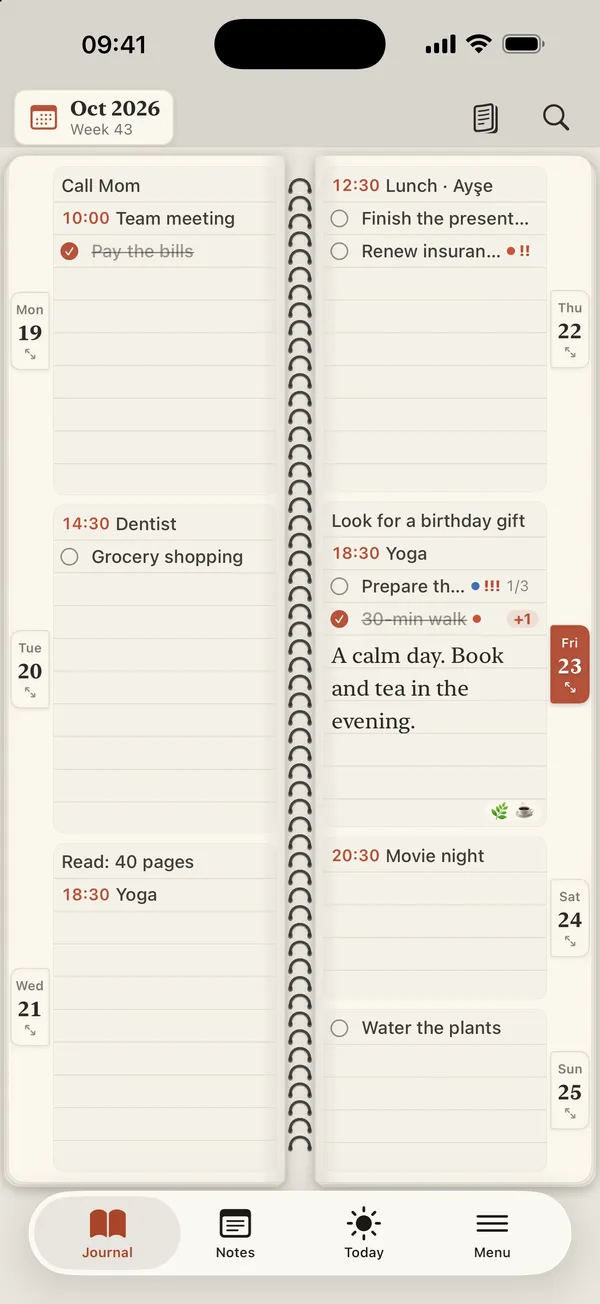
Paperweek week view: two facing pages of a spiral-bound notebook with tasks, events and notes for each day
What's inside

A notebook, not a spreadsheet.

Everything you need to plan a week — and nothing that gets in the way.

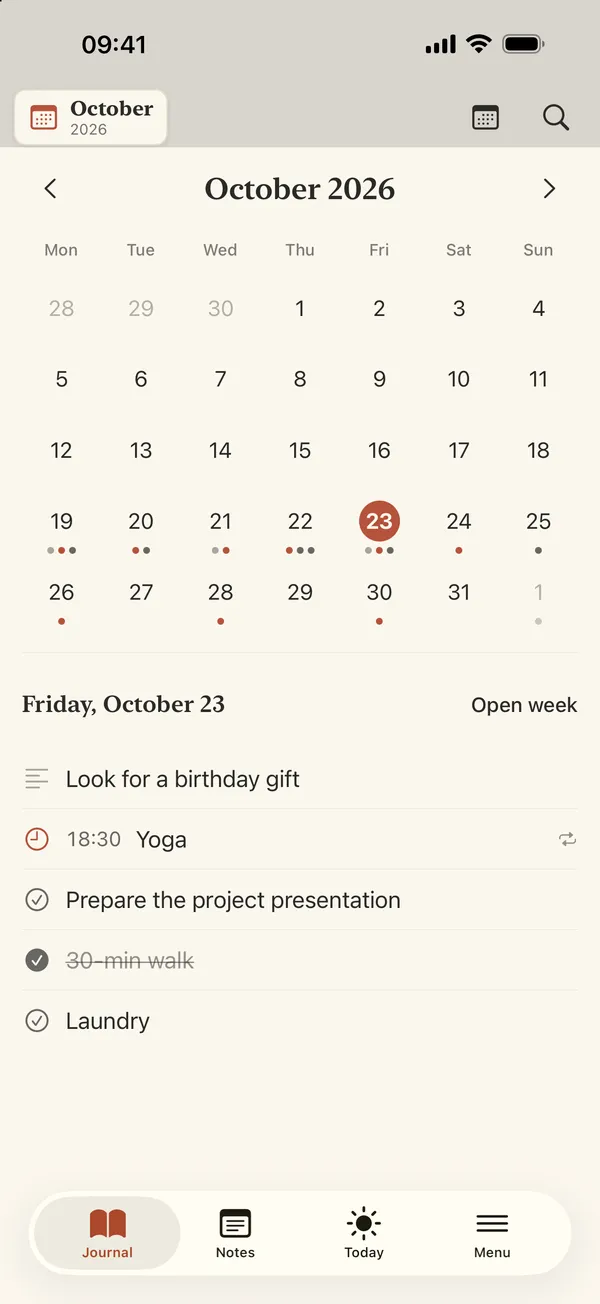
Month view with dots under busy days and the selected day's entries below

Five ways to see your time

Day, 2-day, 4-day, week and month views with spiral-bound page turns. Every day gets a free-form page too.

  • Bold, italic, lists and checkable lines
  • Dots in the month view show which days are full
  • Search across everything you've written
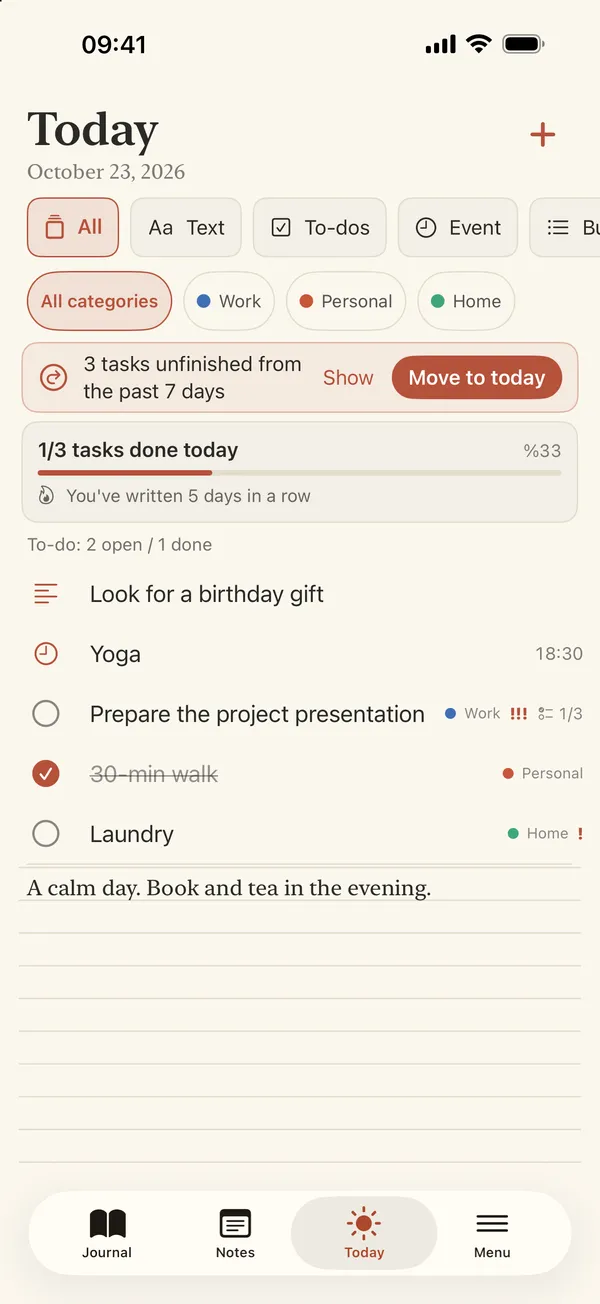
Today screen with filters, daily progress and a banner offering to move unfinished tasks to today

Focus on today

The Today screen filters by type and category and shows your daily progress and writing streak.

  • Move unfinished tasks to today in one tap
  • Reminder notifications
  • Repeating entries: daily, weekly, monthly, yearly
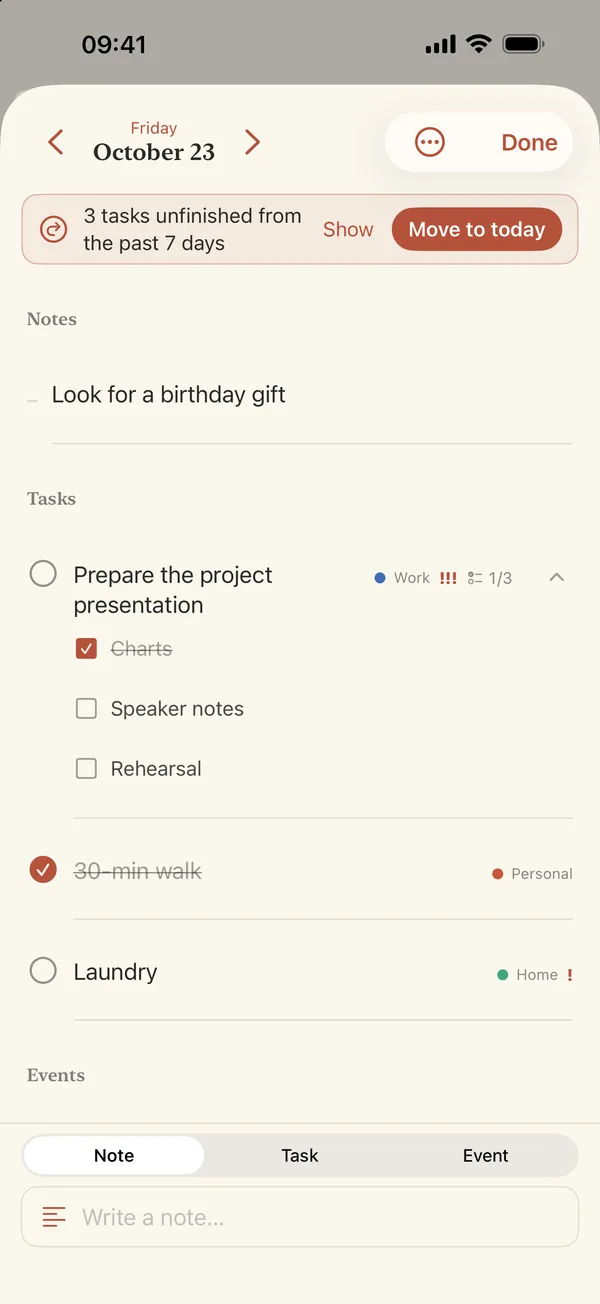
Day editor with notes, a task broken into subtasks, categories and priority marks

Break any task down

Notes, tasks and timed events side by side — organised the way you think.

  • Categories you can name and colour
  • Task priority
  • Subtasks with their own checkboxes
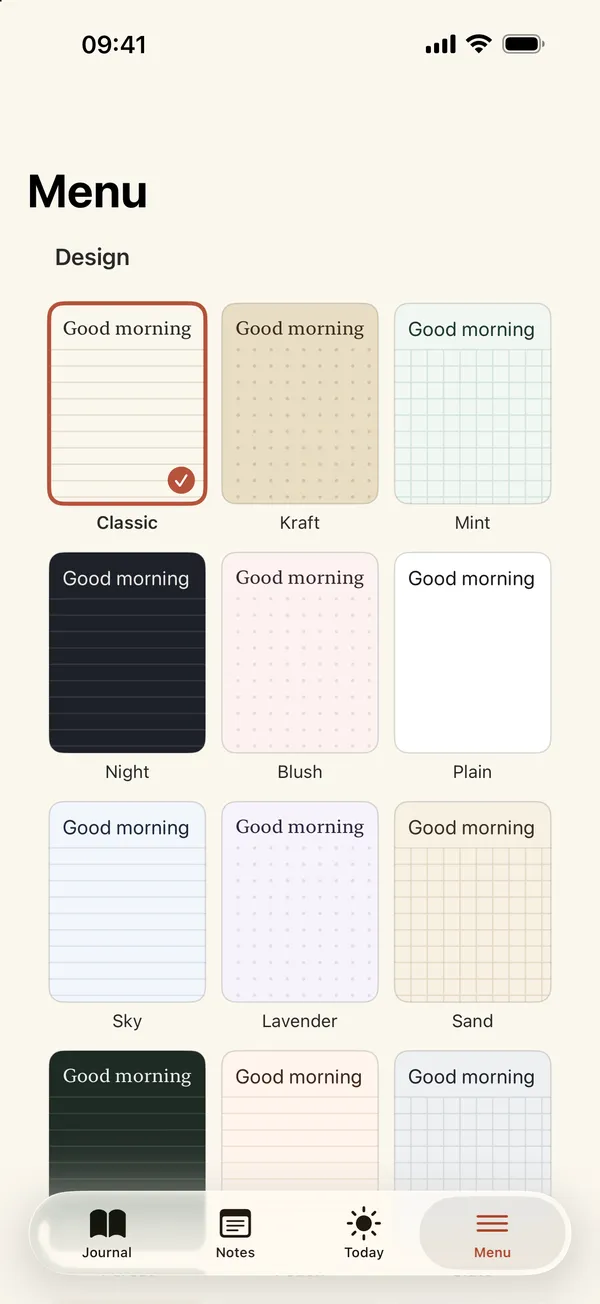
Design picker showing paper styles such as Classic, Kraft, Mint and Night

Choose your paper

18 paper designs — 6 of them patterned, like linen, watercolour, graph paper and a starry night.

  • 6 classic designs included free
  • Every design and alternate app icons with Pro

Widgets & Siri

Today and Week widgets on your Home Screen. With Pro: tick off tasks right from the widget, progress and Lock Screen widgets, StandBy, and Siri & Shortcuts.

Draw, add photos PRO

Write on the page with Apple Pencil (or your finger on iPhone), and add photos and stickers to a day.

Backup & export

A full backup file you can export and restore, plus week and month PDFs — free. Day-layout PDFs, CSV and Calendar import come with Pro.

Private by design

No ads, no account, no analytics. Your planner lives on your device; optional sync uses your own iCloud. Lock it with a PIN or Face ID. Privacy policy

Yearly subscription · 7-day free trial

Do more with Pro.

The planner is free to use every day. Pro adds sync, drawing and the extras. The price is shown in the App Store in your local currency.

Pro includes

  • iCloud sync across your devices
  • Apple Pencil drawing
  • Photos and stickers
  • All 18 designs and alternate app icons
  • Complete tasks from the widget
  • Progress and Lock Screen widgets
  • Siri & Shortcuts
  • Weekly summary
  • Unlimited categories
  • Day, 2-day and 4-day PDF layouts and CSV export
  • Import from Calendar

Free forever

  • Day, 2-day, 4-day, week and month views
  • Notes, tasks, timed events and reminders
  • Repeating entries and search
  • Today screen and “move to today”
  • Priority, subtasks and 3 categories
  • 6 classic designs
  • Today and Week widgets
  • Week and month PDF
  • Full backup and restore
  • PIN and Face ID lock

Payment is charged to your Apple ID. The subscription renews yearly unless cancelled at least 24 hours before the end of the current period; manage or cancel it in your App Store account settings. Terms of Use (EULA) · Privacy

FAQ

Questions

Where is my data stored?

On your iPhone or iPad. Paperweek has no server and no account. If you turn on iCloud sync (Pro), your planner is stored in the private iCloud database of your own Apple account — we can't see it.

What can I do without paying?

All notebook views, notes, tasks, events, reminders, repeating entries, the Today screen, priority and subtasks, 3 categories, 6 classic designs, the Today and Week widgets, week and month PDFs, full backup and the PIN / Face ID lock.

How do I cancel the subscription or the free trial?

Open the Settings app › tap your name › Subscriptions › Paperweek › Cancel Subscription. To avoid being charged after the 7-day trial, cancel at least 24 hours before it ends.

What happens to my data if my subscription ends?

Nothing is deleted. Your entries stay on your device; Pro features simply lock again and iCloud sync stops until you resubscribe. If you used a Pro design, the pages switch back to the Classic design — your writing is unchanged.

Can I back up or move my planner?

Yes. Export a full backup file from Settings and restore it later — merge it with what's there or replace it. This is free.

I bought Pro but it isn't showing

In Paperweek, open the settings (or the Pro screen) and tap “Restore purchases” while signed in to the same Apple ID. See Support.